What Is PDF/A, and How to Check if Your PDF Is Compliant

If a system has ever rejected your PDF with a message about it not being "PDF/A compliant," or an archive, court, or government portal has told you to submit documents in PDF/A format, this explains what that means and how to check whether your file passes. PDF/A is a stricter version of the ordinary PDF, built so a document stays readable decades from now, and a file either meets the standard or it does not.
What PDF/A actually is
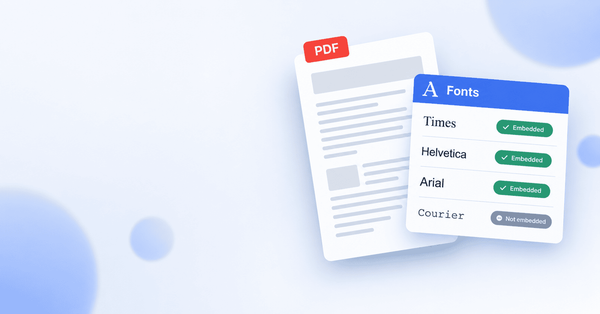
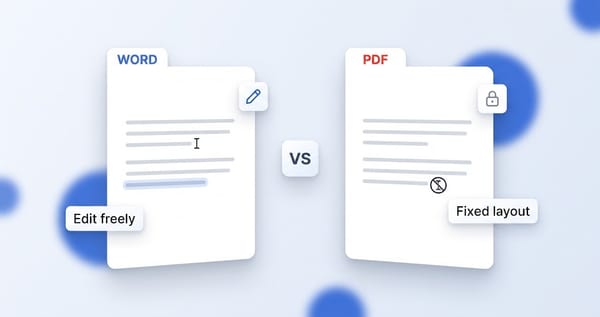
PDF/A is an ISO standard for using PDF as a long-term archiving format. A normal PDF can depend on things outside the file to display correctly, such as fonts installed on your computer or features a particular viewer happens to support. That is fine for a document you read today and discard, but it is a problem for one that has to open correctly in twenty or fifty years, long after that font or that software is gone.
PDF/A closes those gaps. It requires a document to be self-contained, meaning everything needed to render it exactly as intended is embedded inside the file itself. Nothing is left to depend on the computer that happens to open it later. That is the whole idea: a file that looks the same and opens correctly, no matter when or where it is viewed.
Why anyone needs it
You usually encounter PDF/A because something requires it, not because you went looking for it. The common cases:
- Legal filings. Many courts and e-filing systems accept documents only in PDF/A, so the record stays readable for the life of the case and beyond.
- Government submissions. Tax authorities, patent offices, and public records systems frequently mandate it for anything that enters a permanent archive.
- Financial and corporate records. Documents that must be retained for years for audit or compliance reasons are often required to be archival.
- Libraries and institutional archives. Anywhere documents are kept for the long term, PDF/A is the expected format.
If none of these apply to you, you may never need it. But when a portal insists on it, an ordinary PDF will be rejected, and you need a way to produce and verify a compliant one.
The conformance levels, briefly
PDF/A is not a single standard but a family, and a file conforms to a specific version and level. You do not need to memorize these, but it helps to recognize them when a system asks for a particular one.
- The version number (PDF/A-1, 2, 3, or 4) refers to which generation of the standard the file meets, with later versions allowing more features.
- The letter sets how strict the file is about structure. A b level (for "basic") guarantees the document looks right. An a level (for "accessible") adds requirements that make the content machine-readable and accessible, such as tagged structure. A u level sits between, requiring that all text can be reliably extracted.
In practice, a system that requires PDF/A will usually name the exact level it wants, such as PDF/A-1b or PDF/A-2u, and your job is to produce a file that validates against that specific target.
Why a PDF fails validation
This is the useful part, because knowing why files fail tells you what to fix. A document can look perfectly normal on screen and still fail PDF/A validation, because the standard checks things you cannot see. The most common reasons:
- Fonts are not embedded. This is by far the most frequent cause. If the file relies on a font being present on the viewer's system rather than carrying the font inside itself, it fails. PDF/A requires every font to be embedded.
- Transparency. Older PDF/A versions do not permit transparent elements, so effects like drop shadows or semi-transparent overlays can break compliance.
- Encryption. A PDF/A file cannot be password-protected or encrypted, because that would stop it from being openable in the future.
- Device-dependent color. Colors have to be defined in a way that will reproduce consistently anywhere, rather than depending on a specific device or color profile.
- Audio, video, or JavaScript. Embedded multimedia and scripts are not allowed, since there is no guarantee a future viewer could run them.
Most of these come down to the same principle: anything that makes a document depend on the outside world, or that cannot be guaranteed to work later, is what the standard forbids.
How to check if your PDF is compliant
You do not have to guess whether a file meets the standard. A PDF/A validator checks the file against the standard and tells you, plainly, whether it passes, and if it does not, what failed.
The quickest way is a browser-based checker. PDFSimplified has a PDF/A validator that inspects your file and reports whether it is compliant, without installing anything. Load the PDF, and it tells you the result, so you know before you submit rather than after a portal rejects it.
When you run a validation, one of two things happens:
- It passes. The report confirms the conformance level the file meets, and you can submit it with confidence.
- It fails. The report lists the specific problems, such as a font that is not embedded or a transparency issue, which points you straight at what needs fixing.
Checking first is worth the half a minute it takes. A file rejected by a submission system usually means starting the upload over, sometimes after a delay, whereas validating in advance lets you fix any issue quietly beforehand.
Turning a normal PDF into a compliant one
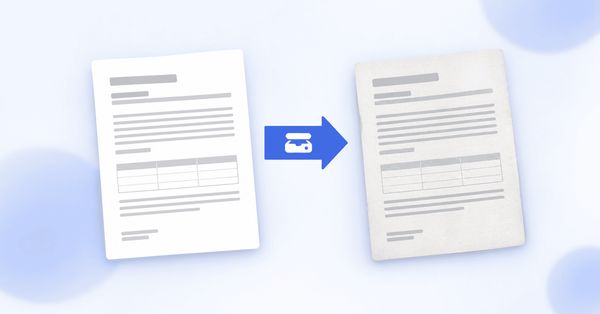
If your file fails, the fix depends on what failed, but the path is usually to re-export the document as PDF/A from whatever created it, since most modern tools offer a "save as PDF/A" or "PDF/A compliant" export option that embeds fonts and strips the disallowed features automatically. For a file you no longer have the source for, a tool that converts a PDF to PDF/A can often rebuild it to meet the standard. Either way, validate again afterward to confirm the result actually passes, because an export labeled PDF/A is not a guarantee until a validator says so.
In short
PDF/A is the version of PDF meant to last, a self-contained file that will open and look correct far into the future, which is why archives, courts, and government systems require it. A file fails most often because its fonts are not embedded, or because it contains transparency, encryption, or multimedia the standard forbids. You do not have to wonder whether yours qualifies: run it through a validator, read the result, and fix anything it flags before you submit.